
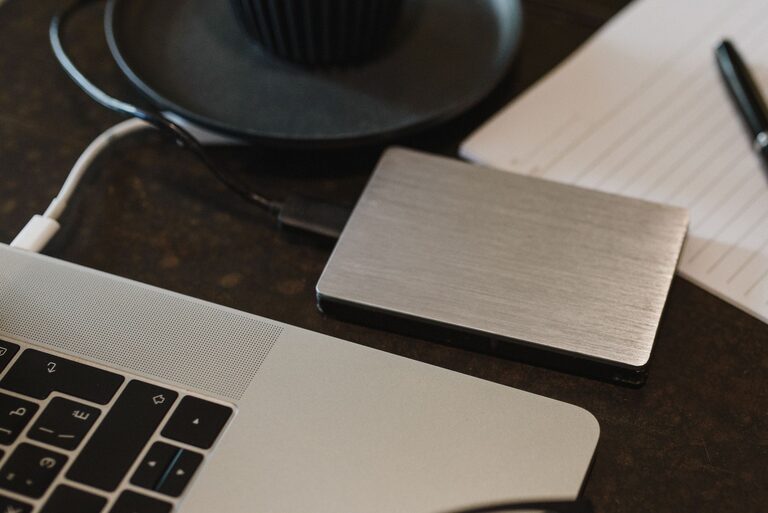
Backing up your photos and files is one of the best ways to protect your digital life. Whether it’s cherished family photos or important documents, losing data can be frustrating and sometimes irrecoverable. Fortunately, backing up your data doesn’t have to be complicated. In this guide, we’ll walk you through why backups matter and show you practical methods to keep your files safe.
Why Backup Your Photos and Files?
Digital files can be lost due to many reasons: hardware failure, accidental deletion, theft, or malware. Since photos and important files often have sentimental or professional value, having a backup means you have a copy to restore if anything goes wrong.
Types of Backup Solutions
You have several options to consider when backing up your data. Combining multiple methods is often the best way to ensure safety.
1. External Hard Drives and USB Drives
Using an external drive is a straightforward way to save copies of your files.
– Pros: One-time purchase, full control of data, no internet needed.
– Cons: Can be lost/stolen or damaged, manual backups required.
Make sure to choose a reliable external hard drive with enough storage for your files. Connect it to your computer regularly and copy your photos and documents. You can also use software to automate backups to the drive.
2. Cloud Storage Services
Cloud storage uses the internet to store your files on remote servers.
– Popular options: Google Drive, Dropbox, Microsoft OneDrive, Apple iCloud.
– Pros: Accessible from anywhere, automatic syncing, protects against physical damage.
– Cons: Requires internet, limited free storage, ongoing subscription fees for extra space.
Many cloud services offer automatic photo backups from your phone or computer, making it easy to keep files safe without manual effort.
3. Network Attached Storage (NAS)
NAS is a device connected to your home network where you can store files accessible to all devices at home.
– Pros: Larger storage, centralized backups, accessible locally.
– Cons: More expensive, requires setup and maintenance.
NAS devices are ideal for families or small offices needing centralized storage and backup.
How to Back Up Your Photos and Files: Step-by-Step
Follow these steps to create a reliable backup routine.
Step 1: Organize Your Files
Before backing up, organize your photos and files into folders. This makes backups more manageable and restoring easier.
Step 2: Choose Your Backup Method(s)
Decide if you want to use external drives, cloud storage, NAS, or a combination. For example, many people use an external hard drive for full backups and cloud storage for automatic photo syncing.
Step 3: Set Up Automatic Backups
Using tools like:
– Windows Backup & Restore
– Time Machine for Mac
– Cloud apps with sync options
Automatic backups reduce the risk of forgetting to save your files.
Step 4: Backup Important Files Regularly
Schedule backups weekly or monthly depending on how often your files change. If you take many photos daily, consider daily backups.
Step 5: Verify Your Backups
Occasionally check that your backups are complete and accessible. Try restoring a few files to confirm everything works.
Tips for Effective Backups
– Use the 3-2-1 rule: Keep three copies of your data, on two different media, with one copy off-site (like cloud storage).
– Encrypt sensitive files: Protect your backups with passwords or encryption for privacy.
– Keep software updated: Backup tools should be updated to work smoothly and securely.
– Label your external drives: If you use multiple drives, clearly label them with dates for easy identification.
What Not to Do When Backing Up
– Don’t rely solely on a single backup method.
– Avoid storing backups only on the same device as your original files.
– Don’t delay backups; regular schedules help prevent data loss.
Conclusion
Backing up your photos and files is essential to safeguard your valuable data. Whether you choose external drives, cloud storage, or a combination, the key is consistency and verification. By following simple steps and creating a backup routine, you can enjoy peace of mind knowing your digital memories and important documents are protected.
Remember, the time and effort spent on backups today can save you from future headaches tomorrow!